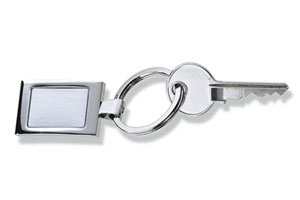
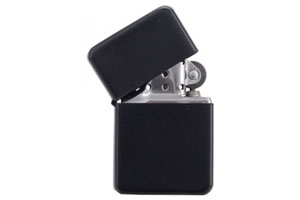
Keychains – promotional gadgets always at hand
Metal keychains are one of the most frequently used promotional gadgets – practical, durable, and always at hand. Thanks to their solid construction and aesthetic finish, they provide an effective way to promote a brand, perfectly serving as corporate gifts, identification elements, and marketing gadgets.
Available marking methods
Laser engraving – precise and durable marking, giving the keychain an elegant and professional appearance. Ideal for placing a logo, contact details, or a short advertising slogan.
3D stickers (domed stickers) – polyurethane resin stickers that provide a full-color print effect with high gloss. A modern technology that enhances the aesthetics of keychains and attracts attention.
Application of promotional keychains
- Effective brand promotion – company logo in daily use by customers and partners.
- Corporate gift – an elegant gadget given during events, trade shows, and conferences.
- Identification – marking keys in offices, hotels, warehouses.
Advantages of metal keychains
- Durability – resistant to daily use, do not wear out quickly.
- Aesthetics – elegant and precisely made.
- Functionality – useful while effectively promoting the brand.
Versatility – suitable for any industry.
Metal keychains with engraving or 3D stickers combine aesthetics, durability, and functionality, making them an effective and attractive element of a marketing strategy.
Technical Parameters of Keychains
Material
High-quality metal, resistant to mechanical damage.
Shapes
Marking Methods
- Laser engraving
- 3D stickers (convex stickers with polyurethane resin) – full-color print with a gloss effect.
- Single-sided or double-sided marking (engraving or 3D sticker).
How to Prepare Files for Marking Promotional Gadgets
File preparation instructions (templates) are available in the calculator after selecting the target gadget.
Project Format
- The project format must be identical to the size of the marking area.
- The marking area and its position relative to the casing are marked on the template with a blue line.
- The tolerance of the marking area's position relative to the casing is ±1 mm.
Additional Notes
- Marking Template
- Download the marking template and place the designed graphic inside the marking area outlined by the blue line.
- Avoid placing frames, borders, or lines close to the edges of the marking area to prevent shifts due to the ±1 mm tolerance.
- Single-Sided Graphics
- For single-sided printing, remove the excess page from the template before saving the file.
- Template Elements
- Before saving the file, remove all auxiliary lines and elements from the template to avoid accidental printing.
- Safe Marking Distance
- If the gadget contains structural elements that hinder marking, these areas are marked on the template. The green line indicates the safe marking distance that should be observed to avoid technical issues.
Job Preparation
Prepare the project for digital printing or engraving.
All other rules for proper file preparation can be found in the Help section.
Useful Links
3D Stickers
Warning: Undefined array key "ppwr" in /system/nowszy/podstrony/produkt_opis.php on line 173