Transparent UV gel labels
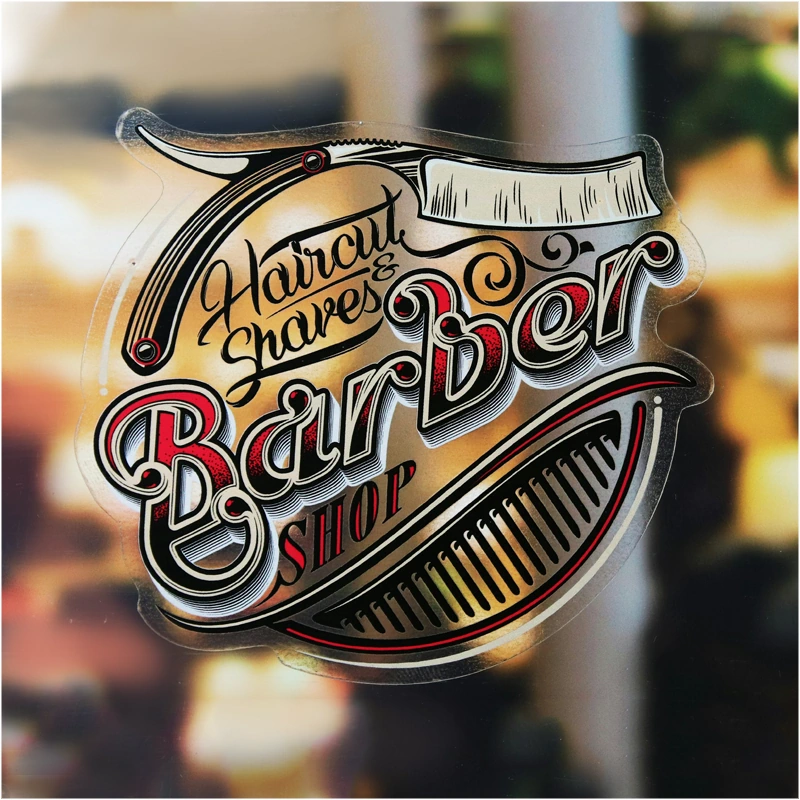
Self-adhesive transparent labels with UV Gel printing are a solution for projects where the aesthetics of a “clean print” and high-quality workmanship are essential. The transparent substrate allows for the effect of graphics applied directly onto the surface, ensuring that labels and markings remain discreet and modern.
Printing with UV Gel technology enables precise reproduction of details and stable, uniform coverage, especially when combined with a white underprint. The use of white – either alone or as an underprint beneath CMYK – ensures high legibility, stronger contrast, and better control over the final appearance of graphics on transparent material.
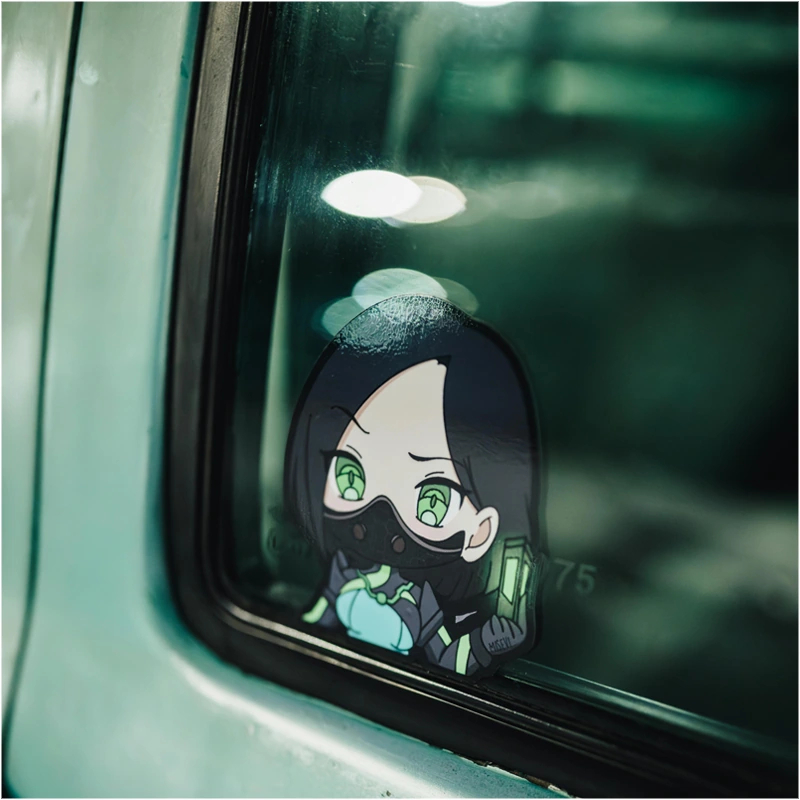
Transparent film is perfect for application on smooth surfaces such as glass, plexiglass, polycarbonate, metal, or plastics. It is a popular choice for product labels, markings, branding elements, and projects where the transparent substrate is an intentional part of the design.
Technical Specification – Transparent UV Gel Labels
Material
Self-adhesive transparent film – monomeric, Oracal 3164G, Thickness 100 µm
Printing
UV Gel printing
CMYK
CMYK + white
CMYK + 2× white + CMYK
White only
Black only
Finishing
No finishing
Gloss lamination
Matte lamination
Shape and cutting
Labels are produced in any shapes, plotter-cut according to an individual cutting grid design.
Additional options
Personalization (e.g. variable data)
Delivery method
Stickers are delivered in sheets rolled up, with dimensions optimized for the production process,
not exceeding 800 × 1100 mm.
Note
The transparent substrate affects the appearance of colors in CMYK printing, which, without a white underprint, achieve a transparent effect and depend on the color of the surface to which the label is applied. The use of white – either alone or as an underprint beneath CMYK – provides high legibility, stronger contrast, and better control over the final appearance of the graphic.
How to prepare files for UV GEL printing of metallized, transparent, and mass-colored film labels
Project sizes
Prepare your design in the ordered format plus 2 mm bleed on each side, as well as a separately prepared cutting line.
Font size
The recommended minimum font size is 6pt. If you need to use smaller fonts, use the calculator Folie druk UV
CMYK printing (UV GEL)
In UV GEL printing, CMYK colors are cured with UV light, which provides very high sharpness and saturation. However, you should take into account the influence of the substrate on color perception:
- Transparent film: CMYK printing without white underprint will be partially transparent – colors "pass through" the background and take on the color of the surface to which the label is applied.
- Silver metallized film: the substrate affects the final appearance of the colors – the metallic base can give a "gloss" effect, shade changes, and metallic enhancement.
- For mass-colored films, we do not recommend using only CMYK printing. CMYK colors lose saturation and contrast, and the final effect is strongly dependent on the color of the film. The best results are achieved by using Only white or Only black printing, as well as White + CMYK, which ensures proper coverage, legibility, and control over the final visual effect. This solution allows you to fully utilize the color of the substrate as a design element while maintaining high contrast and print aesthetics.
To achieve better coverage and saturated colors, it is recommended to use a white underprint under selected graphic elements.
Black solid
The best black effect is achieved by using 100% K
UV GEL printing: white underprint (White)
UV GEL printing in white or white + CMYK requires detailed file preparation according to the guidelines. Dodatkowy kolor Biały w druku UV Gel
Special notes for white underprint
Small elements and fonts: with small fonts or details, visible misregistration may occur.
Misregistration: take special care with designs requiring precise alignment of the white and CMYK layers.
Design recommendation: for thin outlines and fine details, avoid situations where the white underprint perfectly "reaches" the edge of the CMYK element (risk of visible misregistration). It is better to use a safe margin / intentional simplifications.
Designing the cutting / die-cutting line
The cutting line should meet the following requirements:
- be a closed curve in 100% K (black),
- where possible, use straight lines instead of curves – this will shorten the plotter's working time,
- avoid unnecessary anchor points – too many control points can slow down the cutting process,
- die-cutting lines should be saved in a separate file or on a separate page,
- the start and end of the cut should be on a straight line, not on a curve – this improves cutting precision.
Note
If the label shape is too complex, the final product may differ slightly from the design (slight rounding).
Job preparation
You can find the remaining rules for proper file preparation in the Help section.
Useful links
Dodatkowy Kolor Biały w druku UV Gel
Films for UV Gel Printing
Silver mirror – Oracal 352 – silver mirror, 23 µm (smaller formats)
Silver gloss – Oracal 641 – 090G Silver Grey (gloss), 80 µm
Blue matte film – mass-dyed, Oracal 641 – 052M Azure Blue, 80 µm
Red matte film – mass-dyed – Oracal 641 – 031M Red, 80 µm
Black matte film – mass-dyed, Oracal 641 – 070M Black (matte), 80 µm
Black gloss film – mass-dyed, Oracal 641 – 070G Black (gloss), 80 µm
Grey matte film – Oracal 641 – 073M Dark Grey, 80 µm
Warning: Undefined array key "ppwr" in /system/nowszy/podstrony/produkt_opis.php on line 173